
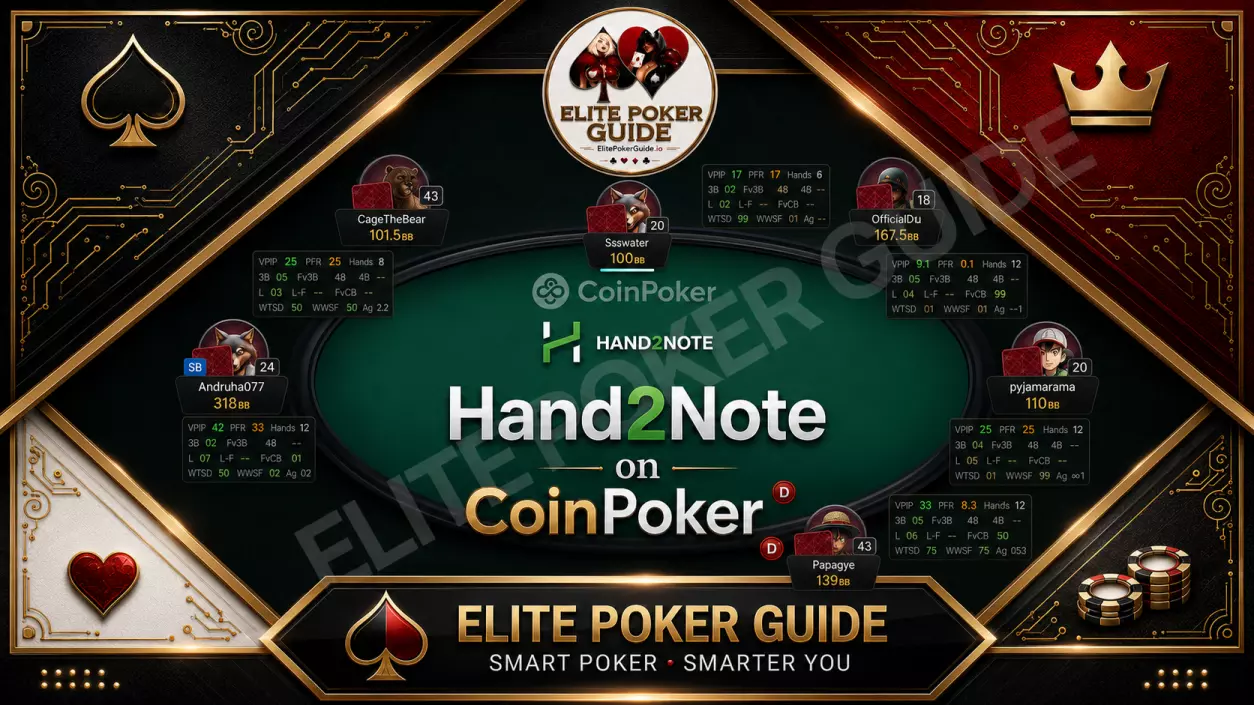
Updated: July 2026
Hand2Note on CoinPoker sounds impossible — officially, it is. Unofficially, thousands of regs are already running a full HUD on this room, and here’s exactly how.
CoinPoker has exploded as a crypto-native room, and traffic keeps climbing — but Hand2Note has never added official support for it. That leaves grinders with two options: play blind against opponents who already have you tagged, or find the bridge that closes the gap. This guide breaks down exactly how Hand2Note on CoinPoker works in 2026, what ExtraHud actually does, and how to get it running on your own tables in minutes.
If you’ve grinded on GGPoker, PokerStars, or 888poker, you already know what it feels like to have a HUD populate the instant a table opens — VPIP, PFR, 3-bet, and aggression stats sitting right where you need them. Move to CoinPoker without that same setup and the experience regresses instantly: no population reads, no history to pull from, no way to separate the calling stations from the regs three-betting you light. That gap is exactly what this guide solves.
Why a Live HUD Matters More on a Newer Room Like CoinPoker
Population tendencies shift fast on newer, growing rooms. Without a tracked database, you’re relying on memory and gut feel — both of which decay the moment you four-table. A HUD doesn’t just display numbers; it compounds. Every session adds to your read on recurring villains, and over enough volume that data becomes the single biggest structural edge you can build outside of raw solver study. Skipping it on CoinPoker isn’t a minor inconvenience — it’s leaving the same edge on the table that you’d never accept giving up on a fully-tracked site.
🏆 Verdict: ExtraHud is currently the only working bridge that brings live Hand2Note stats to CoinPoker. Paired with a Hand2Note 4 Pro FOREVER LICENSE, it’s the fastest way to stop playing this room blind.
Why Hand2Note Doesn’t Officially Support CoinPoker
Hand2Note has always prioritized the biggest tracked rooms — GGPoker, PokerStars, 888poker — leaving newer crypto rooms like CoinPoker without native integration. Tracking software typically needs either a direct data-sharing partnership with the room or a stable, parseable hand history export before a HUD can be built on top of it. Newer platforms take time to reach that stage, and CoinPoker simply hasn’t been added to Hand2Note’s supported list yet.
No official hand history parser means no automatic stat tracking, no HUD, and no post-session database review. For a player used to running a tracker on every other site, sitting down on CoinPoker with zero data feels like playing with one eye closed — you can still win, but you’re doing it with less information than the regs who found a workaround.
That’s the exact problem ExtraHud was built to solve — not by waiting on an official release that may never come, but by building the bridge directly, in real time, table by table.
What Is ExtraHud, Exactly
ExtraHud is a real-time converter that connects CoinPoker’s table data directly to Hand2Note 4.1, streaming a full dynamic or static HUD the instant a table opens. No manual imports, no waiting for hand histories to sync, no sitting out while the tracker “catches up.” It’s the same category of tool as a Hold’em Manager or PokerTracker plugin — except purpose-built for a room neither of those trackers touch either.
What You Actually Get
🔸 Instant HUD load — no delay, no sitting out a hand to “warm up”
🔺 Full stat overlay powered by Hand2Note 4.1’s database engine
🔸 Positional HUD and live Preflop/Postflop diagrams on the Dynamic tier
🔺 Coverage from NL50 up to Unlimited (NL200+)
In practice, that means the moment you open a CoinPoker table, ExtraHud is already talking to Hand2Note in the background — pulling in stats and rendering them the way you’d expect from any tracked room. There’s no manual hand history import, no separate step to “sync” before you start seeing numbers. You open the table, the overlay is already there.
This matters more than it sounds like on paper. A HUD that lags a few hands behind is a HUD that’s already useless for the exact spot you needed it in — the big pot against an unknown reg on hand one. ExtraHud’s entire design brief was closing that lag to zero.
ExtraHud Static vs Dynamic HUD — Which Do You Need?
Both tiers connect Hand2Note on CoinPoker in real time — the difference is in how much of the table’s structure gets rendered back to you.
| Criteria | No HUD (Playing Blind) | ExtraHud Static | ExtraHud Dynamic |
|---|---|---|---|
| Live Stat Overlay | ❌ None | ✅ Yes | ✅ Yes |
| Positional HUD | ❌ | ❌ | ✅ Yes |
| Preflop/Postflop Diagrams | ❌ | ❌ | ✅ Yes |
| Setup Time | — | Minutes | Minutes |
| Stakes Coverage | — | NL50 incl. / Unlimited (NL200+) | NL50 incl. / Unlimited (NL200+) |
| License Type | — | 1–12 month plans | 1–12 month plans |
Playing without a HUD on any regular basis means overpaying in lost equity — every hand your opponents have you tagged and you have nothing back is a small, compounding leak. That’s the real cost of “free,” not the plan you’d pay for ExtraHud.
Workflow-wise, the two tiers suit different study habits. Static is built for players who already know how to translate raw numbers into decisions on the fly — you see the stat block, you make the read, you move on. Dynamic is built for players who study with solver tools like PioSolver or GTO Wizard and want the table to reflect that structure back — positional context and range diagrams sitting right where the raw numbers used to be. Neither is objectively “better.” It’s a question of how you already process information at the table.
Step-by-Step: How to Set Up Hand2Note on CoinPoker
1. Get a licensed Hand2Note 4 Pro key — this is the tracking engine ExtraHud plugs into.
2. Pick your ExtraHud tier — Static for clean stats, Dynamic for positional overlays and live diagrams.
3. Choose your stakes coverage — NL50 inclusive, or Unlimited for NL200+.
4. Install the bridge and launch CoinPoker — the HUD populates the moment your table loads.
5. Start reviewing hands in Hand2Note’s database like you would on any fully-supported room.
Most of that process takes minutes, not hours — the setup is deliberately front-loaded so the ongoing experience feels identical to running Hand2Note on any officially supported room.
Common Setup Mistakes to Avoid
The two most common issues players run into aren’t with ExtraHud itself — they’re sequencing errors. First, trying to launch the bridge before the Hand2Note 4 Pro license is active, which leaves the HUD with no database engine to pull from. Second, picking the wrong stakes tier upfront: if you’re moving up from NL50 to NL200+ mid-plan, you’ll want the Unlimited tier rather than restarting on NL50-inclusive pricing. Confirm your license is active and your stakes tier matches your bankroll before your first session, and the rest of the setup runs cleanly.
Our Verdict, Scored
| Setup Ease | 9/10 |
| Stat Depth (Dynamic tier) | 9/10 |
| Value for Money | 8/10 |
| Beginner Friendly | 8/10 |
| Overall | 8.5/10 |
Who Should Use ExtraHud
Choose ExtraHud Static if…
You want core stats — VPIP, PFR, 3-bet, aggression — without extra overlay clutter. You’re comfortable making your own reads from raw numbers. You play mostly cash at NL50 or below.
Choose ExtraHud Dynamic if…
You want positional context built into the HUD, not calculated in your head. You study with solvers like PioSolver or GTO Wizard and want live Preflop/Postflop diagrams to cross-reference at the table. You’re playing Unlimited stakes (NL200+) and every edge compounds fast.
Watch It Running Live (Free Demo)
Before you commit to a plan, you can watch ExtraHud running on a real CoinPoker table — free, no purchase required. It’s the fastest way to see exactly what the Dynamic HUD overlay looks like mid-session, straight from the Hand2Note on CoinPoker product page, where the full live-table sample is embedded.
ExtraHud vs Playing on a Fully-Supported Room
It’s worth being honest about what ExtraHud is and isn’t. On GGPoker, PokerStars, or 888poker, Hand2Note’s native integration means the HUD, database, and every reporting feature just works — no bridge required. ExtraHud closes most of that gap on CoinPoker, but it’s still a third-party layer sitting between the room and the tracker, not an official Hand2Note release. For the vast majority of cash grinders, that distinction is invisible at the table: the HUD loads instantly, the stats populate correctly, and the database review afterward works the same way. But it’s the honest answer to “is this exactly the same as a supported room” — functionally yes, officially no.
What it does mean in practice is that CoinPoker regs who’ve been playing without any tracker at all are competing at a real information disadvantage against anyone running ExtraHud. If population reads are already thin on a newer room, the players building a database now are the ones who’ll have the deepest reads six months from today.
FAQ
Does Hand2Note officially support CoinPoker?
No. Hand2Note has no official integration with CoinPoker. ExtraHud is a third-party bridge that connects the two, giving you a working HUD where none exists natively.
What’s the real difference between Static and Dynamic HUD?
Static gives you core Hand2Note stats with an instant, clean overlay. Dynamic adds Positional HUD tracking plus live Preflop and Postflop diagrams pulled straight from your solver-style ranges.
Do I need a separate Hand2Note license?
Yes. ExtraHud is the bridge — it requires an active Hand2Note 4 Pro license to actually run the tracking and database engine underneath the HUD.
Does ExtraHud slow down table loading?
No — the HUD is designed to populate the moment the table opens, whether you’re already seated or just joining. There’s no sit-out period required for stats to sync.
What stakes does ExtraHud cover?
Both Static and Dynamic tiers include NL50 as standard, with an Unlimited plan covering NL200 and above for higher-stakes regs.
Can I use ExtraHud alongside other trackers like PokerTracker or Hold’em Manager?
ExtraHud is built specifically for the Hand2Note 4.1 engine. If your main database lives in PokerTracker or Hold’em Manager, those tools still won’t parse CoinPoker natively — ExtraHud’s bridge is Hand2Note-specific.
Is this a subscription or a one-time payment?
ExtraHud is offered in fixed-term plans — 1, 3, 6, or 12 months — billed exactly as listed with no hidden auto-renewal. Your companion Hand2Note 4 Pro key, separately, is sold as a FOREVER LICENSE with lifetime access.
Stop Playing CoinPoker Blind
Get the bridge that finally makes Hand2Note on CoinPoker real — full HUD, live diagrams, zero delay.
Learn more about the tracking engine on the official Hand2Note site, or check the room itself at coinpoker.com.
Explore the rest of the toolkit at ElitePokerGuide.io — 1,000+ poker courses and every piece of software you need to grind smarter, all under one FOREVER LICENSE model.
 Hand2Note 4 Cracked PRO
 Hand2Note on CoinPoker
 MOBIUS POKER GTO STAT CHECKER 2 – Cash ELITE
 Hand2Note 3